
How to Choose a CNC Woodworking Router for Plywood Cutting and Nesting?
For technical evaluators, choosing a CNC woodworking router for plywood work usually comes down to four things that fight each other every day on the factory floor: edge quality, sheet yield, cycle time, and how cleanly the machine fits into your digital workflow. A machine that cuts fast but leaves tear-out on the top veneer will create downstream sanding and rework. A machine with good accuracy but weak nesting integration will waste boards and operator time. So the selection process has to start with the job mix, not the brochure.
If your main application is plywood cutting and nesting, the right question is not “Which router has the highest spec?” It is “Which machine holds stable quality across our actual panel sizes, material grades, part geometries, and software flow?” That shift in thinking saves a lot of expensive mistakes.
Start with the plywood, not the router
Plywood is not one material. Face veneer quality, glue line hardness, core voids, thickness tolerance, moisture condition, and overlay type all change the way a CNC router behaves. Before comparing machines, build a short material map:
- What thickness range do you cut most often?
- Do you process cabinet-grade plywood, construction-grade sheets, film-faced panels, or mixed incoming supply?
- Are visible edges acceptable, or will edges be covered later?
- Do parts include small internal corners, narrow strips, or high hole density?
This matters because machine selection changes with the cut objective. If the panel goes to edge banding, a little tool mark may be manageable. If the edge stays exposed, vibration control, spindle stability, and toolpath quality move much higher on the list.
A common mistake is testing one clean sample board and treating the result as representative. For plywood, that is too optimistic. Include at least one sheet with the surface and core quality you actually struggle with in production.
Check whether the machine structure is built for nesting work
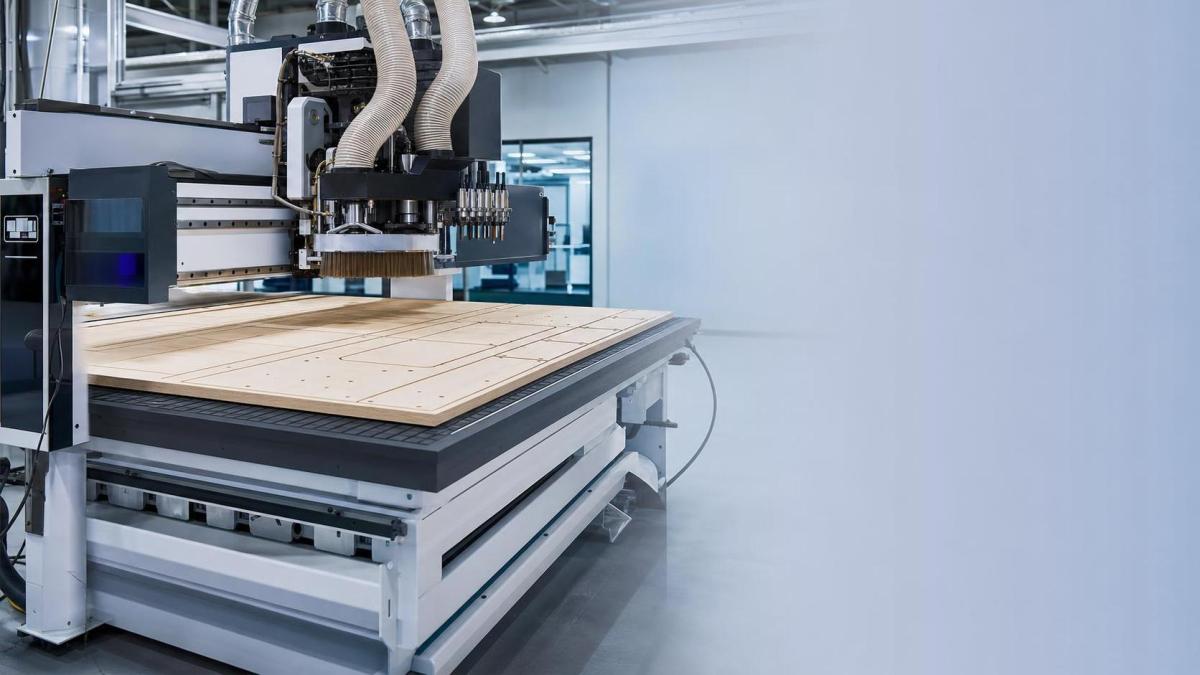
For nesting, the frame, gantry, table flatness, and vacuum zoning matter as much as spindle power. Plywood routing creates repetitive lateral cutting loads. If the machine structure is light or the gantry is not rigid enough, you will see it first on small parts, slot width consistency, and finish quality near corners.
During evaluation, pay attention to these points:
- Whether the bed stays flat under full-sheet loading.
- Whether vacuum zones match your common sheet sizes and offcut patterns.
- How well small parts stay held near the end of the cut.
- Whether the gantry remains smooth at direction changes and high feed moves.
If the supplier focuses only on max travel speed, push the conversation back to cut stability. On plywood nesting lines, lost suction and part movement often cost more than a slower headline speed.
Do not rate spindle power in isolation
Spindle power gets a lot of attention because it is easy to compare on paper. In practice, for a CNC woodworking router for plywood, the spindle has to be judged together with tool diameter, tool holding, chip evacuation, and the feed rates you plan to run. More power does not automatically mean better plywood edges.
What you want to verify is whether the spindle can maintain stable cutting under your normal nesting load without forcing operators to slow down whenever sheet quality changes. Watch for burn marks, edge fuzzing, chatter, and top veneer breakout. Those are not just tooling issues; they often expose a mismatch between spindle behavior, machine rigidity, and process setup.
Ask the supplier to cut a realistic nesting program, not a simple outer profile. Include pockets, drill cycles, small bridges if you use them, and parts placed across the full table. That tells you more than a clean straight-line demo.
Look closely at tool change and drilling configuration
A router used only for contour cutting is one thing. A nesting cell that also handles vertical drilling, horizontal drilling, grooving, and routing in one pass is another. Technical teams often underestimate how much cycle time disappears into tool changes and secondary handling.
If your parts need frequent hole patterns or cabinetry-style operations, review:
- Automatic tool changer capacity and layout.
- Whether drilling heads are integrated or every hole relies on the spindle.
- Tool change time in a real program, not just a single empty swap.
- Accessibility for tool setup, measurement, and maintenance.
If the part family is simple and repetitive, a leaner configuration may be enough. If the product mix changes daily, flexibility is worth paying for. This is one of the clearest decision points in router selection.
Judge the nesting software by waste reduction and error prevention
Software is where many buying decisions go wrong. The machine may be mechanically capable, but if the nesting engine, post-processor, and job import workflow are clumsy, you end up losing material yield and creating preventable operator mistakes.
For technical evaluation, check whether the system can do the following without workarounds:
Do not settle for a generic statement like “it supports integration.” Ask what file format is used, where job data is generated, how edits are controlled, and who is responsible when post-processing fails. That is where expensive downtime usually starts.
Verify vacuum hold-down under real nesting conditions
Vacuum performance looks fine when cutting large rectangles. It gets exposed when nested parts become narrow, perforated, or nearly free by the end of the cycle. For plywood processing, especially mixed-size cabinetry parts, poor hold-down shows up as part shift, poor edge finish, broken tools, and damaged spoilboards.
Ask the supplier to demonstrate a job with small parts distributed across multiple zones. Watch the last third of the cycle. That is the moment when weak vacuum design becomes visible. Also review spoilboard management. A good machine can still perform badly if the vacuum path is not maintained through proper surfacing and sealing practice.
Dust extraction is part of cut quality, not just housekeeping
On plywood, chip evacuation affects temperature, edge finish, and tool life. If chips stay in the cut, especially on deep passes or high-throughput programs, heat builds quickly and edge quality falls off. Dust extraction should be evaluated as a process component, not an accessory.
Check hood design, airflow path around the tool, and how easily the system adapts to different tool lengths and operations. If your product mix includes drilling plus routing, make sure extraction remains effective across both, not only during one clean demo cut.
Assess accuracy where it matters: repeatability on nested parts
For selection work, broad claims about precision are less useful than repeatable outcomes on finished parts. The practical questions are simple: do mating parts fit, do drilled features align, and does production stay consistent across shifts?
During trials, do not measure just one part. Pull parts from different positions on the sheet and compare slot width, hole location consistency, and edge quality on both the first and last pieces. That tells you much more about machine stability than a single inspection sample taken from the center of the table.
Check loading, unloading, and labeling before calling it automated
A fast router can still create a slow cell if board loading, offload sorting, and part identification are manual and chaotic. For custom furniture or batch-size-one production, automation value often comes from material handling discipline more than spindle speed.
Review the full path:
- How sheets enter the machine.
- How finished parts are separated from waste skeletons.
- How labels are printed and attached.
- How part identity stays linked to the order after cutting.
If your plant already runs MES, ERP, or order-driven production logic, compatibility here is a bigger issue than many initial RFQs reflect. A CNC woodworking router for plywood should not become an isolated island of manual correction.
Do not ignore service access and wear points
On paper, two routers may look similar. In long-term use, maintenance access separates them quickly. Check where operators and technicians need to reach every week: tool holders, lubrication points, filters, vacuum plumbing, drill block access, spoilboard resurfacing area, and extraction components.
You are not just evaluating machine uptime. You are evaluating how much downtime turns into awkward labor because basic service tasks were treated as an afterthought.
Build the decision around your likely failure modes
A useful selection meeting usually becomes clearer when you list the failures you most want to avoid. For plywood nesting, those tend to be familiar:
- Top veneer breakout on visible parts
- Part movement on small nested pieces
- Excess board waste from weak optimization
- Cycle time loss from too many tool changes
- Manual data fixes between design and production
- Dust-related quality problems and short tool life
Once that list is on the table, compare suppliers against those risks directly. It is a better filter than comparing headline specifications one by one.
The cleanest buying path is usually this: define your real plywood mix, test a nested program that reflects actual production, inspect edge quality and hold-down behavior across the full sheet, then verify software flow and maintenance access before discussing optional upgrades. That order keeps the decision anchored in production reality, which is exactly where a router proves its value.
Related News
Get weekly intelligence in your inbox.
No noise. No sponsored content. Pure intelligence.